
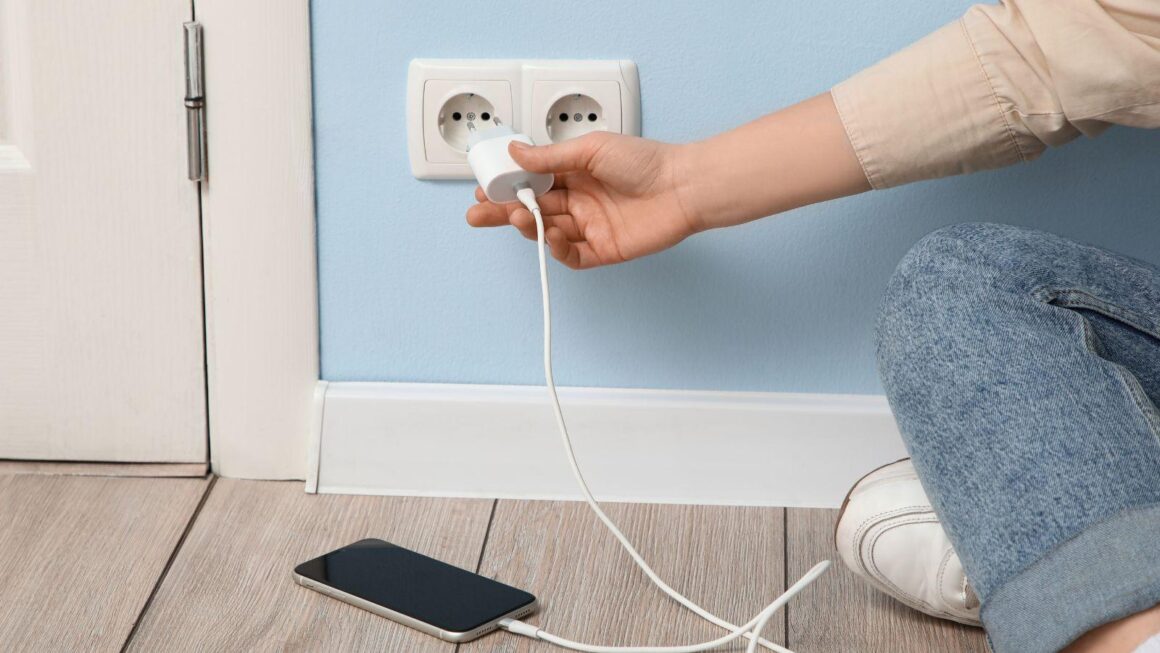
A wireless phone jack is a practical fix when a home office, workshop, reception desk, router area, or spare room needs a telephone connection but the wall socket is in the wrong place. Instead of lifting floorboards, drilling through walls, or paying for extra cabling, the setup uses a base unit and extension unit to carry the phone connection across the building through the power circuit.
For tech-focused homes and small offices, this is the kind of upgrade that makes older communication equipment work in a more flexible layout. A landline handset, answering machine, fax machine, alarm dialer, card terminal, or office phone may still need a socket, even when the room was never wired for one.
Why phone sockets are often in the wrong place
Many houses and small business spaces were wired for a different kind of workday. The main phone socket might sit in a hallway, behind a sofa, near the front door, or in a corner where no one would now place a desk. That worked when a single corded phone handled calls for the whole property. It works less well when people need a private desk, a printer station, a till point, or a small office setup in another room.
Running a new phone cable can solve the issue, but it is not always convenient. It may mean visible trunking, holes through walls, time from an installer, or extra work in a rented space where changes are limited. A wireless extension can be much easier when the goal is simply to place a phone device somewhere useful.
Where an RTX wireless phone jack fits
A product such as an rtx wireless phone jack is built for situations where a telephone point is needed away from the main socket. The idea is straightforward: connect the base unit to the existing phone socket and plug it into a power outlet, then place the extension unit in the room where the phone device is needed.
This kind of setup can suit homes, garden offices, retail counters, small clinics, local offices, and workshops where the layout changes faster than the wiring. It is especially useful when the phone device is still useful, but the building does not have the right socket in the right room.
Common uses for a wireless phone jack
A phone socket extender can be useful in more situations than people first expect. It is not only about moving a home handset from one room to another. Many older but still useful devices rely on a standard telephone connection.
|
Use case |
Why a wireless phone jack helps |
What to check first |
|
Home office landline |
Moves a handset closer to the desk |
Power outlet availability in both rooms |
|
Small reception desk |
Places a phone where staff actually sit |
Call quality and distance from base unit |
|
Fax machine |
Avoids moving the machine near the wall socket |
Compatibility with the fax device |
|
Card terminal |
Keeps payment hardware near the counter |
Provider requirements for the terminal |
|
Alarm dialer |
Helps connect equipment without new cable runs |
Alarm system compatibility |
|
Workshop or stockroom |
Adds phone access away from the main office |
Electrical noise and building layout |
|
Temporary office setup |
Useful when the room layout may change again |
Whether the setup needs to be permanent |
Why this still matters in a VoIP and mobile world
It may seem strange to talk about telephone socket extensions when many teams now use mobiles, apps, and internet calling. Yet a lot of homes and businesses still have equipment that depends on a physical phone connection. Some people keep a landline for reliable incoming calls. Some offices use older phone hardware that still works well. Some specialist devices were built around a telephone line and do not need replacing if the connection can be placed correctly.
There is also a comfort factor. A physical phone on a desk can be easier for shared spaces, older users, reception staff, or anyone who prefers a fixed device that is always in the same place. Mobile phones are flexible, but they can be misplaced, muted, out of battery, or tied to one person. A desk phone connected through a wireless phone jack can remain available to the whole room.
What to check before setting one up
A wireless extension is simple, but it still deserves a quick check before relying on it for daily calls. The first thing to confirm is what type of device will use the extension. A basic handset is usually the easiest case. Fax machines, alarms, payment terminals, and other specialist devices may need more care because they can be sensitive to line quality or provider rules.
The second point is the building itself. Thick walls, electrical interference, long distances, and unusual wiring can affect performance. A normal house or small office may be straightforward, while a larger building, workshop, or older property may need a test before the device becomes part of daily work.
A sensible setup process looks like this:
- Plug the base unit near the main telephone socket.
- Place the extension unit where the phone device will be used.
- Test an outgoing and incoming call.
- Listen for hum, crackle, delay, or dropouts.
- Test the device in its real working position, not only beside the socket.
- Keep the units away from heavy electrical equipment where possible.
- Label the setup so staff know which unit belongs to which phone.
When a wireless phone jack is better than new cabling
New cabling makes sense when a business is fitting out a permanent office, rewiring a building, or installing several fixed phone points. A wireless option makes more sense when the need is smaller, faster, or more temporary.
For example, a home worker may only need a landline handset in a spare bedroom. A small shop may want a card terminal near the counter without pulling cable through the room. A clinic may rearrange its reception area and need the phone closer to staff. A rented office may not allow drilling. In these cases, a telephone socket extender is usually the cleaner path.
Mistakes that make the setup less reliable
Most problems come from treating the extension like a magic cable. It still needs clean power, sensible placement, and realistic distance. Poor placement can make call quality worse, especially if the extension unit sits behind metal furniture, next to heavy electrical equipment, or on a crowded power strip.
Another mistake is using the device for equipment that should really have a more stable connection. If a system handles safety, medical alerts, security, or payments, the setup should be tested carefully and checked against the requirements of the service provider. Convenience should never be the only factor when the connected device supports a regulated or safety-related function.
It is also worth keeping the original phone socket accessible. If troubleshooting is needed, the quickest test is usually to plug the handset directly into the main socket and compare performance. That tells you whether the issue comes from the line, the phone device, or the wireless extension.
A practical upgrade for awkward layouts
A wireless phone jack is not a flashy gadget, but it solves a very common layout problem. Many homes and small offices still have working phone equipment, yet the useful desk, counter, or room is nowhere near the phone socket. Moving the connection without running cable can keep that equipment useful while avoiding mess, drilling, and delays.
For tech-minded readers, the appeal is simple: it turns an old fixed connection into something more adaptable. The phone line stays where it is, but the device can move to the place where people actually work, answer calls, process payments, or manage daily tasks. That is often enough to make a space function better without changing the whole communications setup.